
CASE STUDY
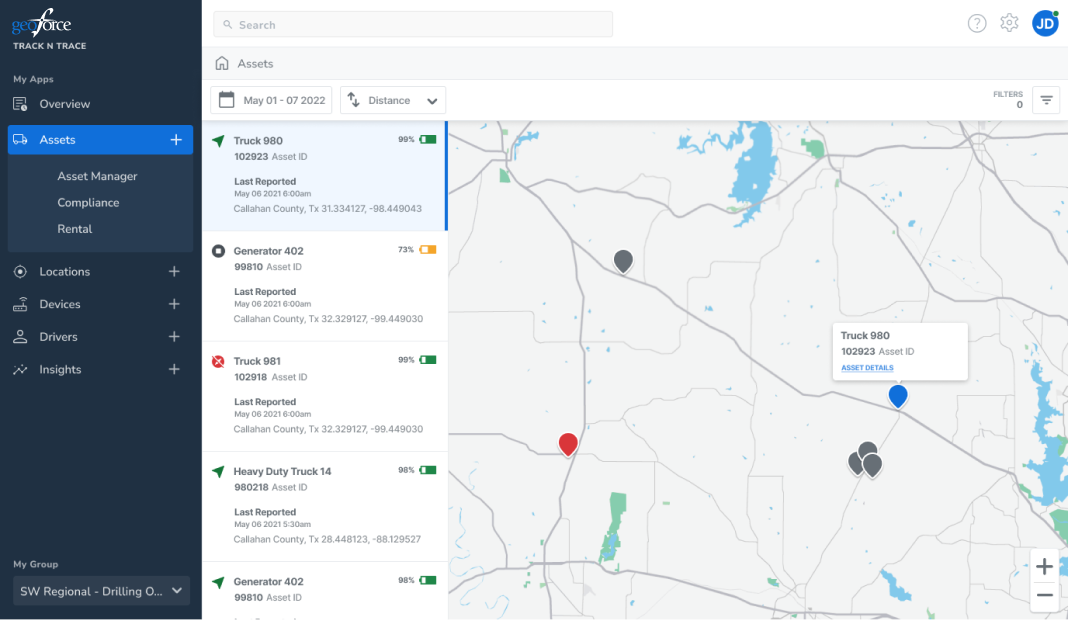
Geoforce track and trace is a cloud based software solution that integrated rugged GPS tracking devices in global satellite and cellular networks to provide asset tracking and management. The current platform was in need of an overhaul to provide a better user experience along with integration of new tools and analytics
Our team had the opportunity and challenge to take this project on from a fresh slate. On top of building better experiences and more intuitive workflows, we also had the chance to build a new design system that would enable us to work closely with engineering, building a next gen scalable component library

01
While we were updating our new platform, we ran regular user testing sessions, analytics, and meetings with our customer support & success teams. These helped pinpoint and highlight particular use cases where we could add value to help our users with a more efficient, entirely in app workflow

Creating our personas here was a bit different than usual. Our users could fill multiple broad user roles at one company with a smaller staff, and be highly individualized at another. We broke our personas our into buckets, categorized by what type of work, and what their goals were when tackling a problem
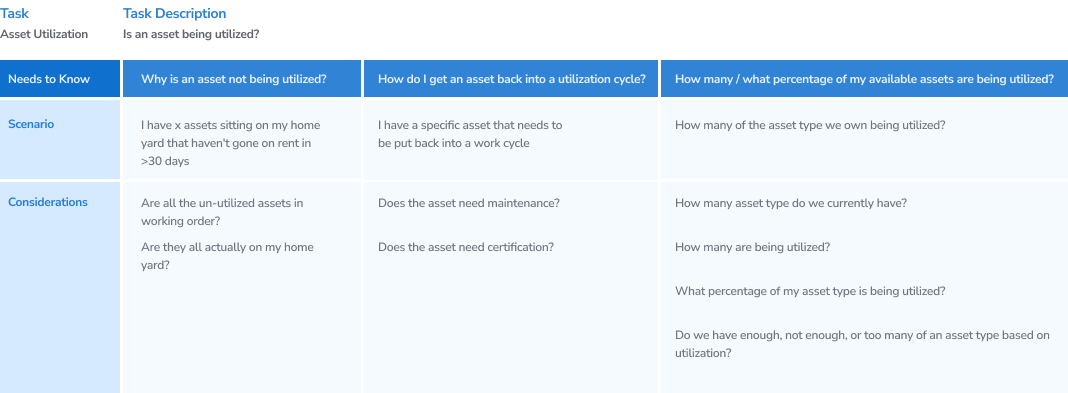
One of the topics that came up frequently in our interviews and csr reports was 'utilization'. Each company would define it slightly different, but the end ask was 'what are my assets doing, and are they making me money?'. When we explored the workflows that would feed into that question, we found a number of different considerations such as asset status - was it on a jobsite? - as well as upkeep, location, and condition status
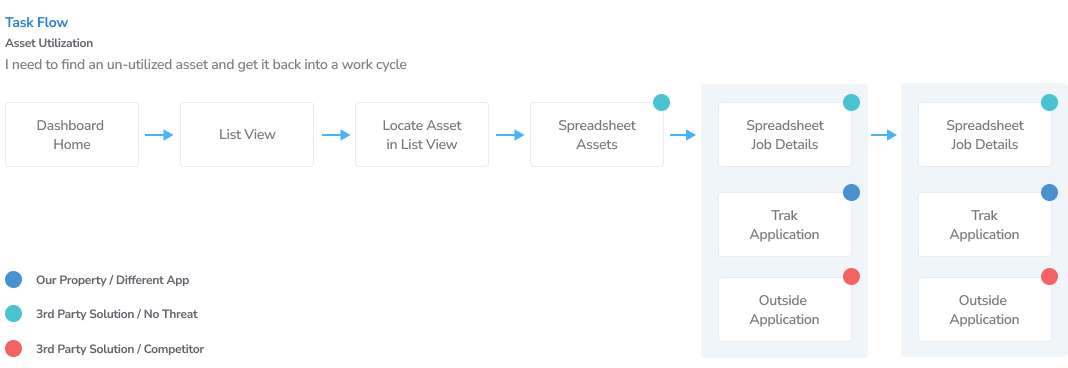
Working backwards from that, we went thru our current workflows with some existing users to see how they would go about finding the answer - where was there asset, and what was it doing? We found our users were spending a lot of time in different applications besides our, from multiple excel sheets, our other app that was being merged, and even our competitors
Once we had an understanding of our current workflow, we started conceptualizing different solutions and built out wireframes to get them to user testing. High level filtering and detailed asset detail pages helped highlight this key piece of info and make it quickly findable and actionable
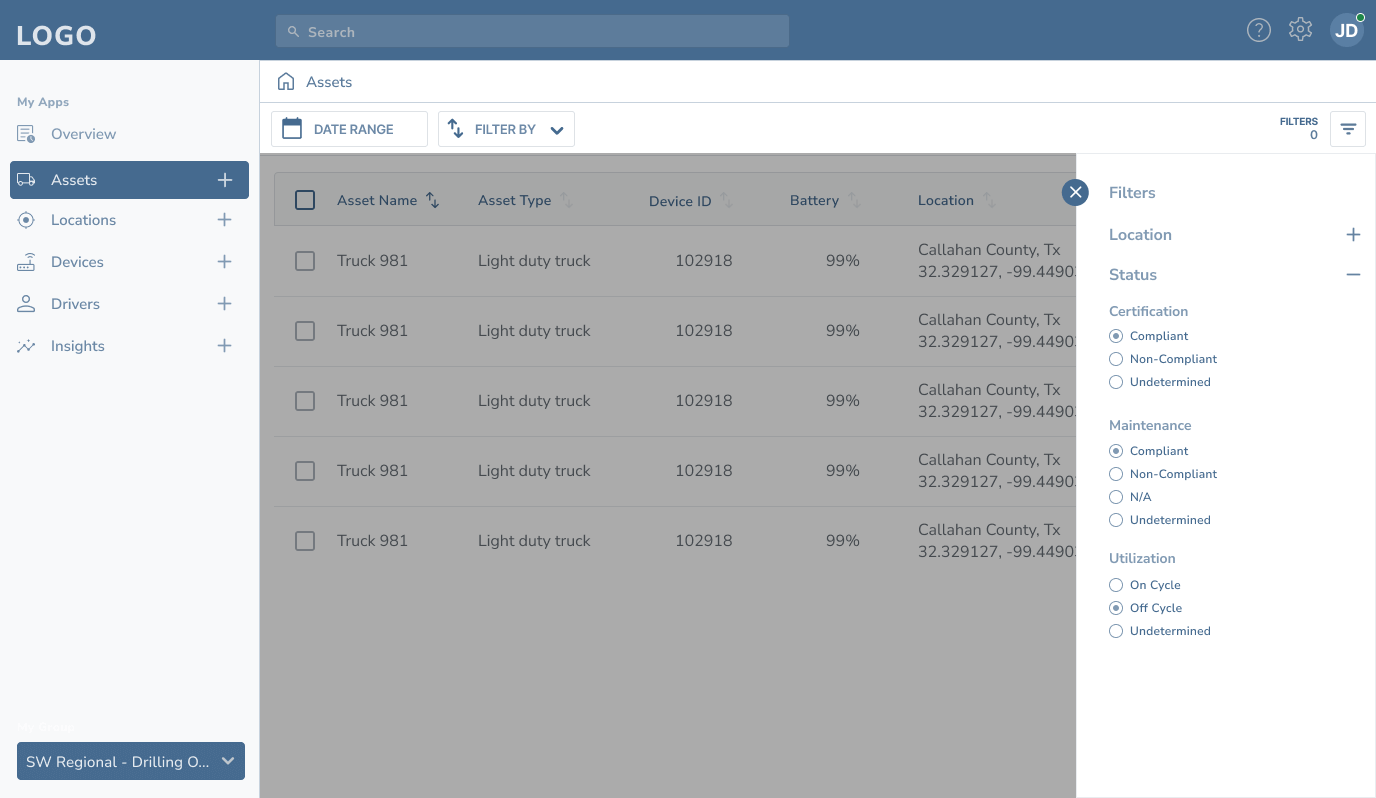
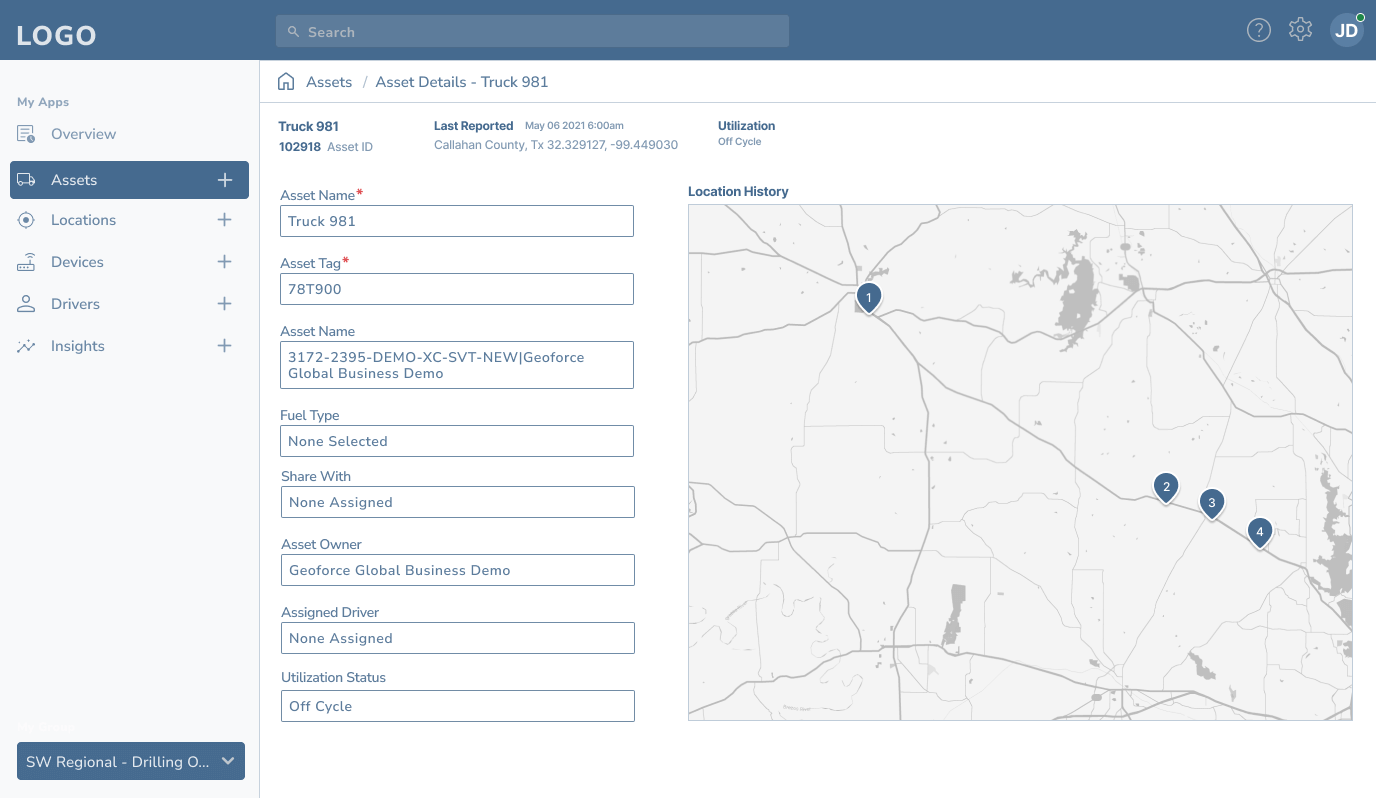
Once we had our wireframes and prototype put together, we'd build out our test plans and meet with a variety of different user types who had roles that could find value in our solution
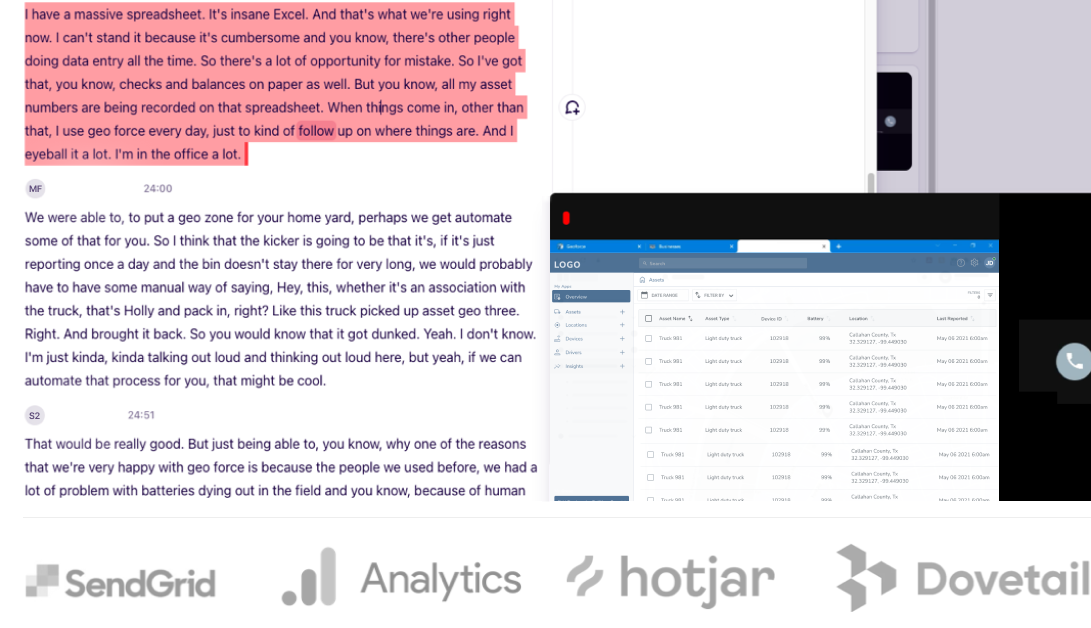
The team used a combination of Google Analytics/Tag Manager, Hotjar, and Sendgrid for passive feedback, and Google Meets & Dovetail to test our prototypes and organize our feedback
02
On top of adding new features to help our users better complete their day to day workflows, we also had the task of combining our two key applicaitons into one single, mobile friendly next gen web app
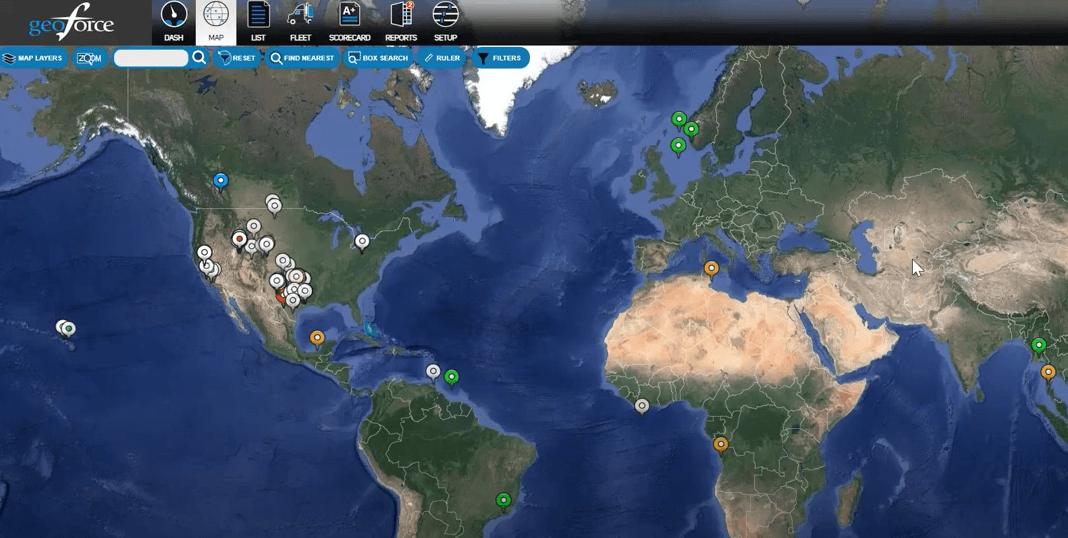
Our flagship legacy app, that left a lot of functionality to be desired
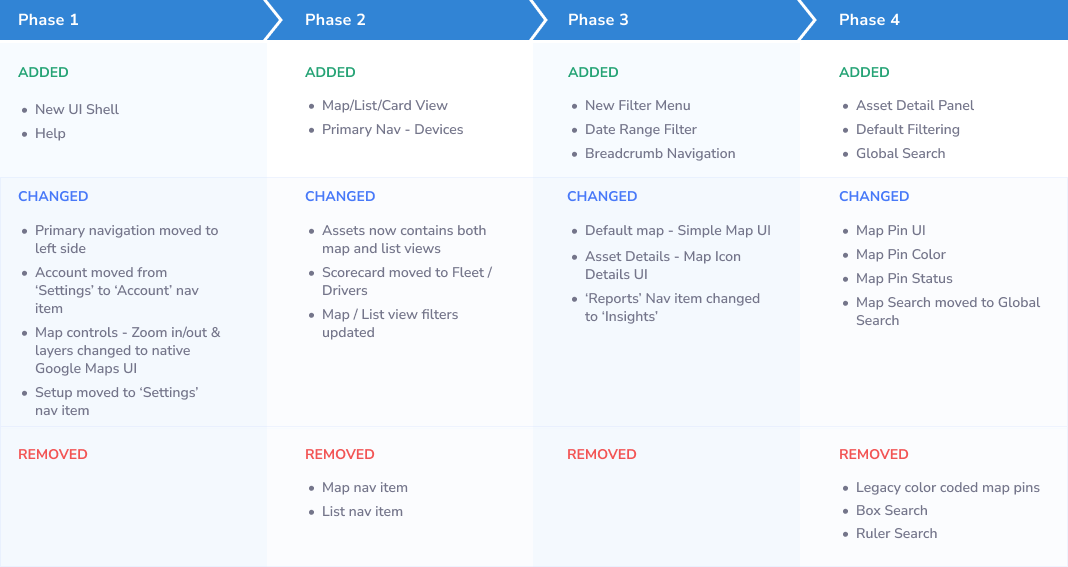
With all of our UI and feature changes, we built a detailed roadmap to outline when and what we were changing. A combination of low development resources, continuous testing, and a need to not alienate our user base kept our initial changes small and tied to value add
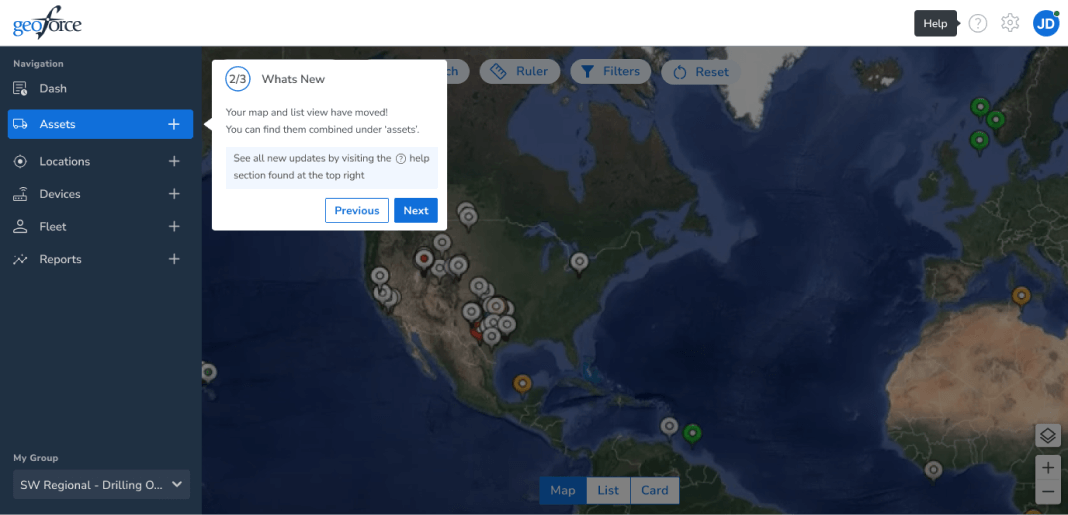
We used helper wizards and tooltips to clearly highlight what new features had been introduced and what had changed
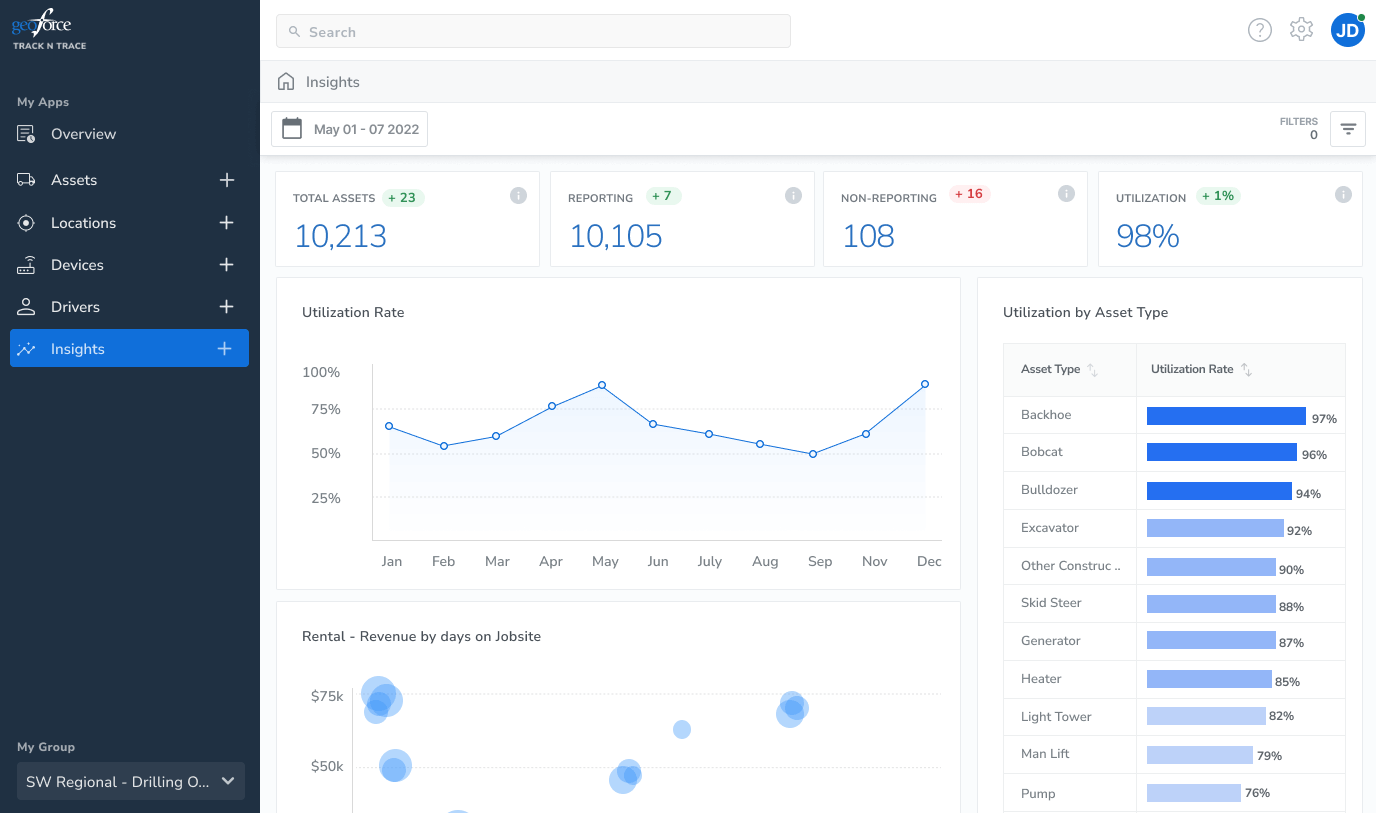
During our feedback sessions at the beginning, we learned a lot about how our users viewed utilization, and what kind of high level KPI's and visualizations they would find value in. We leveraged Looker to build out our data viz
Our new platform!